TW Streamer
One box between your goggles and every screen, stream and switcher on set. Licence included.
Works with
Goggles 3N3Goggles 2IntegraGoggles V1 and V2
RC-N1, N2, N3HDMI captureRTMP in
What comes out
- HDMI to any screen, 1080p or 1080i
- Browser player on your network
- Live: RTMP, WHIP, SRT
- OBS and vMix: NDI, SRT, RTSP, UDP
- Recording to the memory card
- Colour grade, film LUTs, lens fix
- Set up from your phone
- Licence included and activated
In the box
- The TW Streamer unit
- USB-C goggles cable
- Power supply
- Quick-start card with the app QR
Specifications
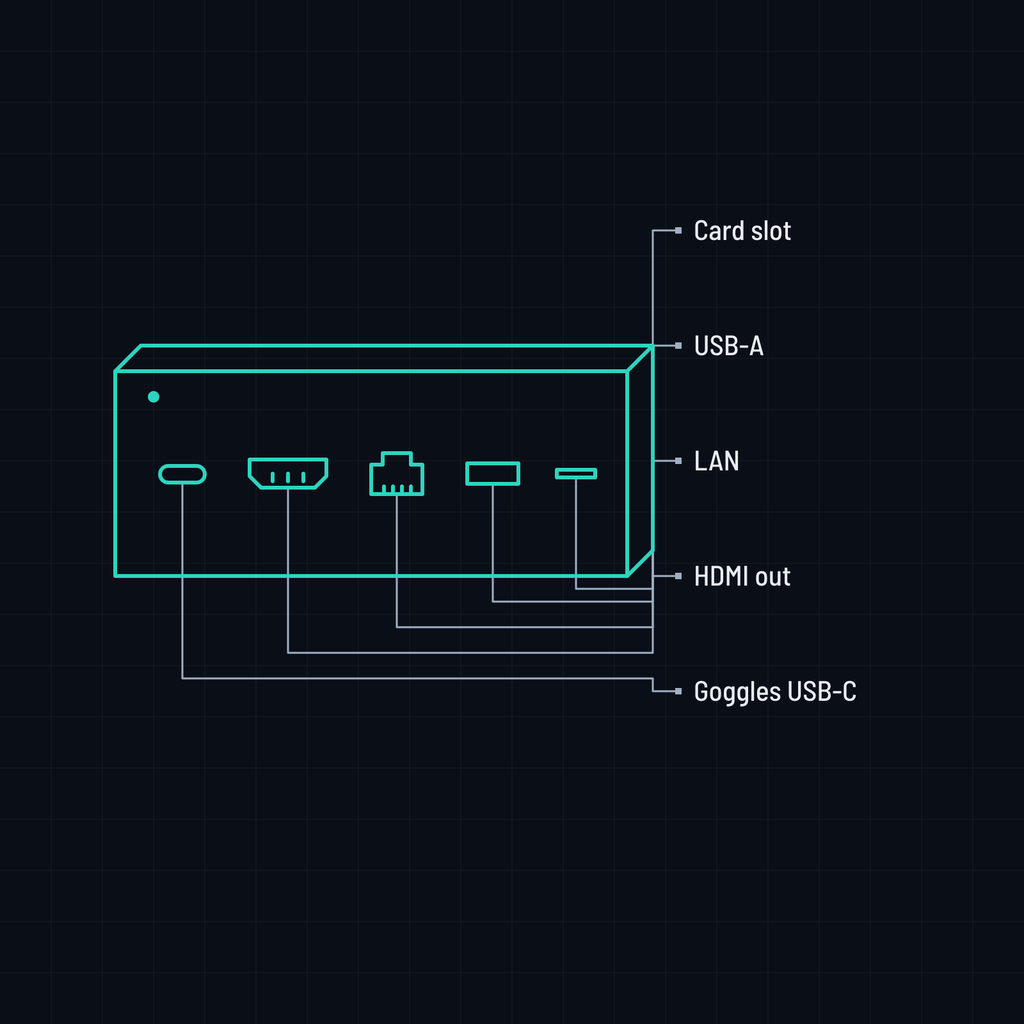
| Inputs | USB-C from Goggles 3, N3, 2 and Integra; USB-A for Goggles V1 and V2; drone RC-N1, N2, N3 links; any HDMI source through a USB capture dongle; RTMP push |
|---|---|
| Outputs | HDMI 1080p60, 1080p50 and 1080i for switchers; RTMP and RTMPS; WHIP; SRT; NDI; RTSP; UDP; browser player |
| Recording | On the unit, to a memory card that opens in Photos or Image Capture like a camera card |
| Picture | Colour grading, film LUTs and your own .cube files, lens correction, zoom, fit, letterbox and flip |
| Control | TWS Controller app for iOS and Android, browser settings page, on-screen menu |
| Network | Own hotspot with QR pairing, joins your Wi-Fi, Ethernet, optional VPN for remote support |
| Reliability | Power-pull safe system, reconnects on its own, automatic updates, event log for support |
| Licence | Both the FPV and the Aerial licence, included and activated |
Bring your own HDMI cable and screen. Memory card not included. Sold and supported from Indonesia; product names describe compatibility only.
Not sure which one? Compare the lineup or contact us.